Legal research does not always happen at a desk. You check a citation before a hearing, look up a provision in a meeting, or read a decision on the commute. As of July 6, 2026, Intellegal is built for exactly that: the whole platform now installs on your phone, and every one of its tools has been rebuilt for a small screen.
There is nothing to download from an app store. You open intellegal.ai in your phone's browser, and you can add Intellegal to your home screen — from then on it opens in one tap, full-screen, with its own icon.
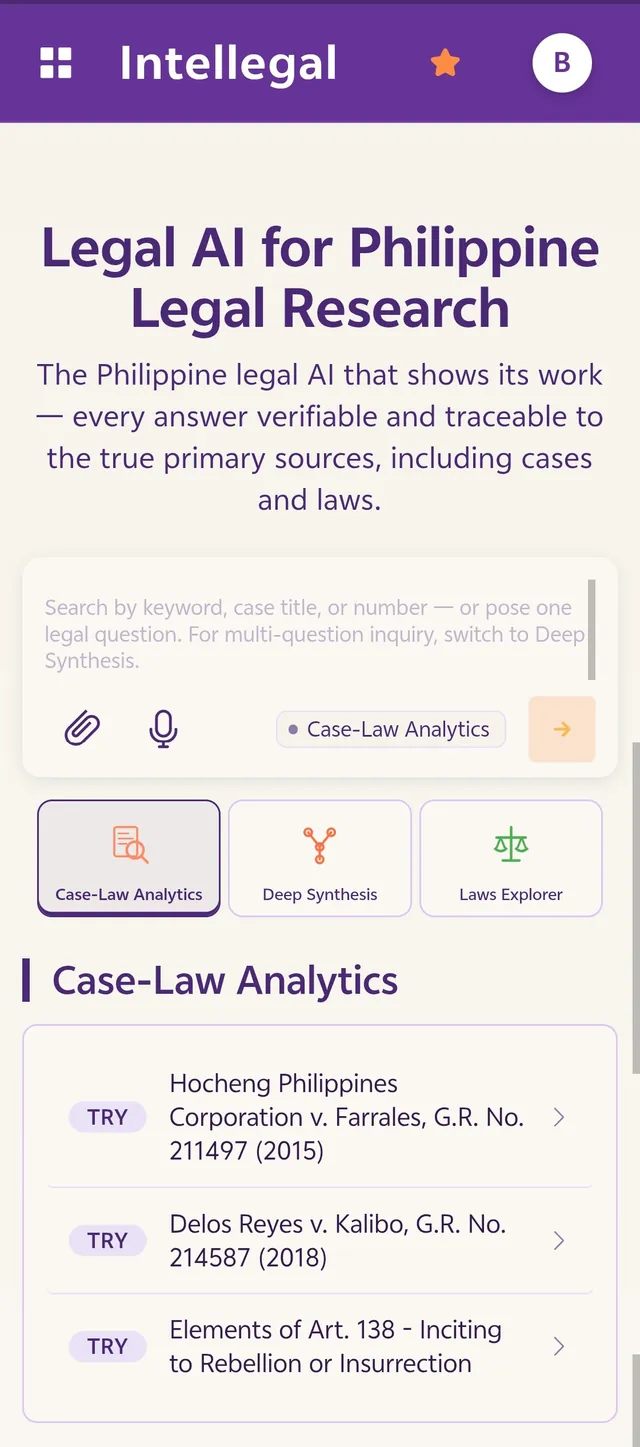
- Install it to your home screen — full-screen, its own icon, no app store.
- All six tools and the hub, rebuilt for a phone.
- No more sideways scrolling; buttons and tabs sized for a thumb.
- Long decisions and case lists laid out to actually read.
- Open a citation's primary source and verify it on the spot.
Install it like an app
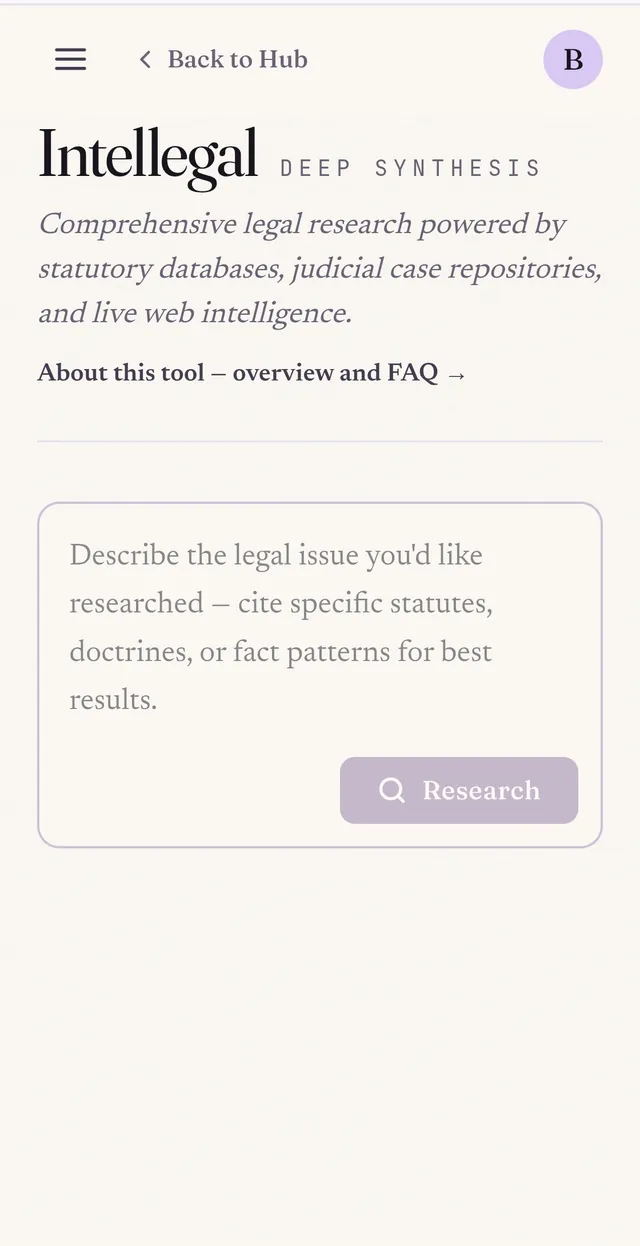
Intellegal is now a Progressive Web App. Choose "Add to Home Screen" in your browser and it installs as a standalone web app: a home-screen icon, a full-screen view without the browser address bar, and the Intellegal purple carried through to the status bar. It is the same intellegal.ai you already use — you simply reach it in one tap, and it behaves like a native app rather than a browser tab. Your sign-in and saved work carry over.
All six tools, rebuilt for one hand
The hub and all six tools — Case-Law Analytics, Deep Synthesis, Law Explorer, Case Contrast, Visual Digest, and Contract Review — now reflow to a single, readable column on a phone. The sideways scrolling is gone: text, search boxes, and results fit the width of the screen, and buttons and tabs are sized for a thumb. Moving between tools, running a search, or opening a case is a tap rather than a pinch-and-zoom. It is the full desktop workflow, laid out for a small screen instead of squeezed into one.
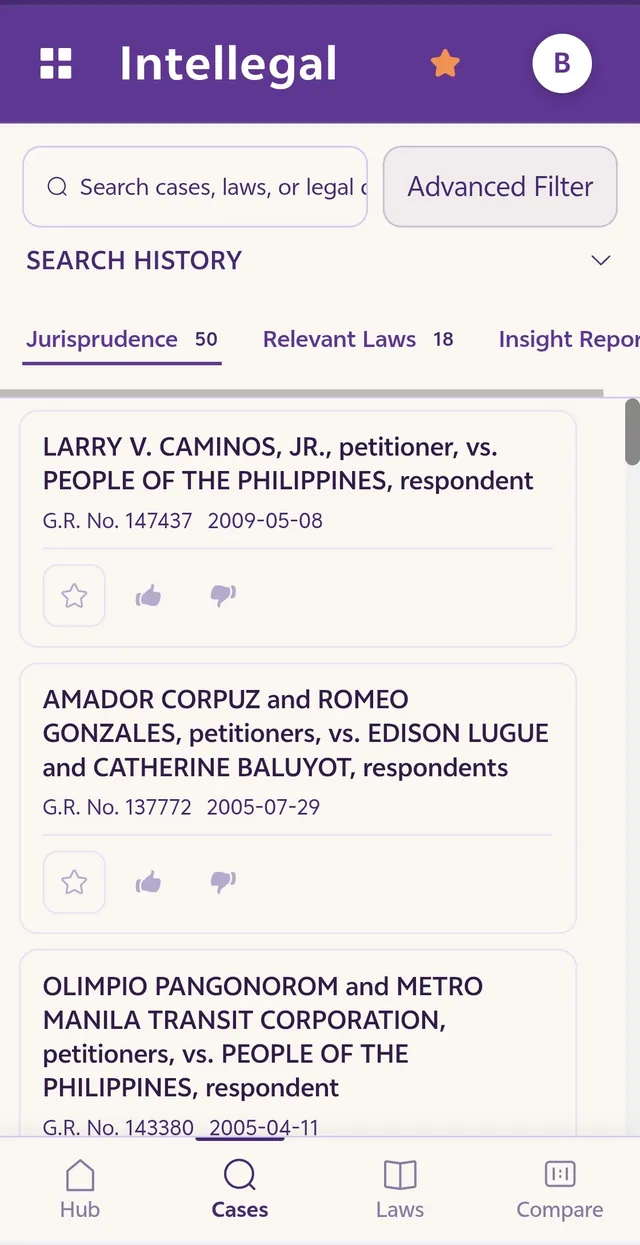
Long decisions and case lists, actually readable
A Supreme Court decision, or a fifty-result jurisprudence list, used to be a struggle on a phone. Now case titles, G.R. numbers, and dates lay out in clean cards; the Jurisprudence, Relevant Laws, and Insight Report views swipe across the top; and a bottom navigation bar keeps the Hub, Cases, Laws, and Compare one tap away. You can read the full text of a decision or a statute — or run a fresh case-law search — without fighting the layout to do it.
Verify on the go
Intellegal is built on a simple idea: you should be able to check its work. Every answer traces back to its original case or statute, so you confirm it rather than take it on trust. That matters most away from the desk — when a citation surfaces in a hearing or a client meeting, you can open its primary source on your phone and read the exact wording yourself, on the spot. Whether it is a codal provision in the Civil Code or a doctrine worked through in a deep-research report, the verification Intellegal is built around now travels with you.
Quick, and out of the way
The mobile build loads quickly and keeps the interface simple, so your attention stays on the law rather than the app. Open intellegal.ai on your phone, add it to your home screen, and take Philippine legal research — and the ability to verify it — wherever the work happens.