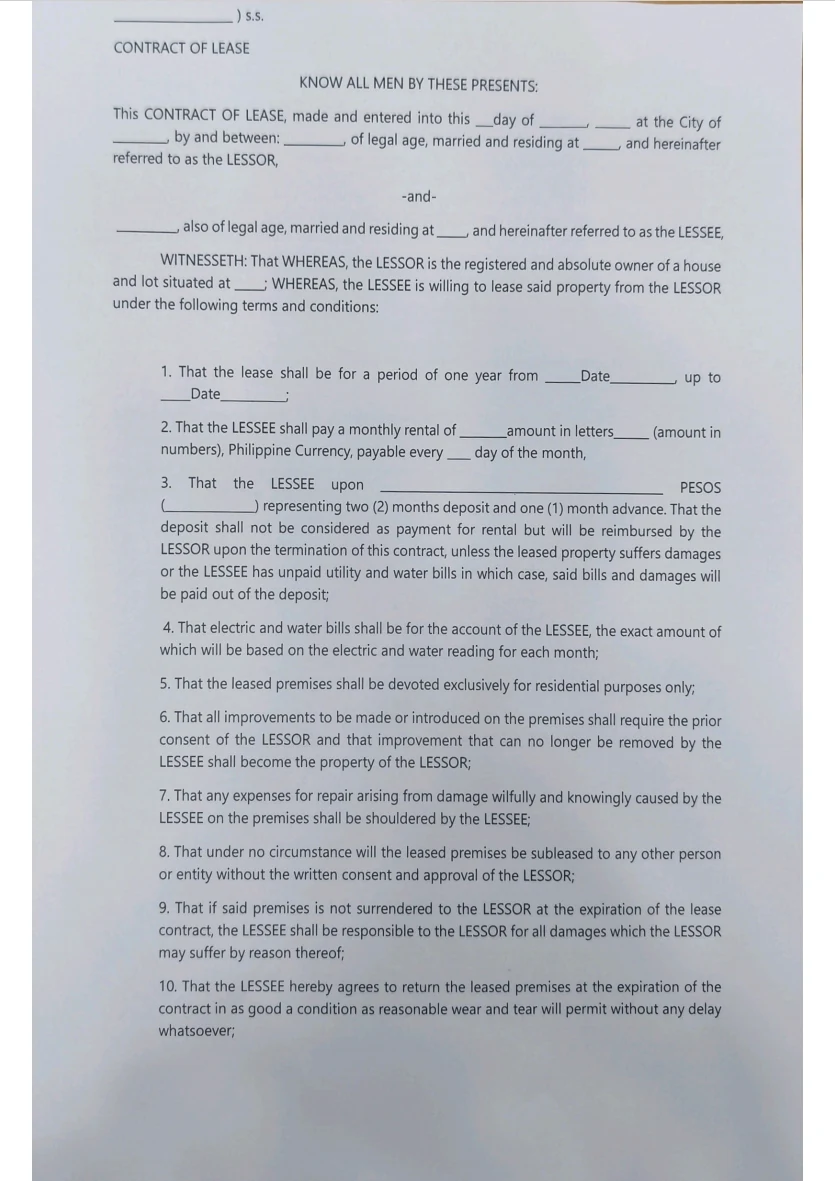
Anyone who works with Philippine documents knows this file. It's a PDF, so it opens fine — but try to select a sentence and nothing highlights. It's a scan of a signed original, or a scan of a photocopy, or a document printed and re-scanned so many times the letters have gone soft at the edges. Every word is visible. None of it is text.
Until now, that file stopped you at the door. You retyped what you needed, or you pushed it through something else first, and only then did the actual work begin.
Contract Review and Visual Digest now read scanned PDFs directly. Upload the file as it reached you — the tools read the document and carry on exactly as they would with a Word file.
What changed, in practical terms
- Both tools, not one. Contract Review and Visual Digest both handle them, on the same terms.
- The documents you actually get. Scanned and image-based PDFs — the kind where the text isn't selectable.
- Nothing new to learn. There's no separate mode and no new setting: a scan is a PDF, so you upload it exactly the way you always have. The difference is what happens next.
- No conversion step. Nothing to retype, nothing to run through a separate tool first.
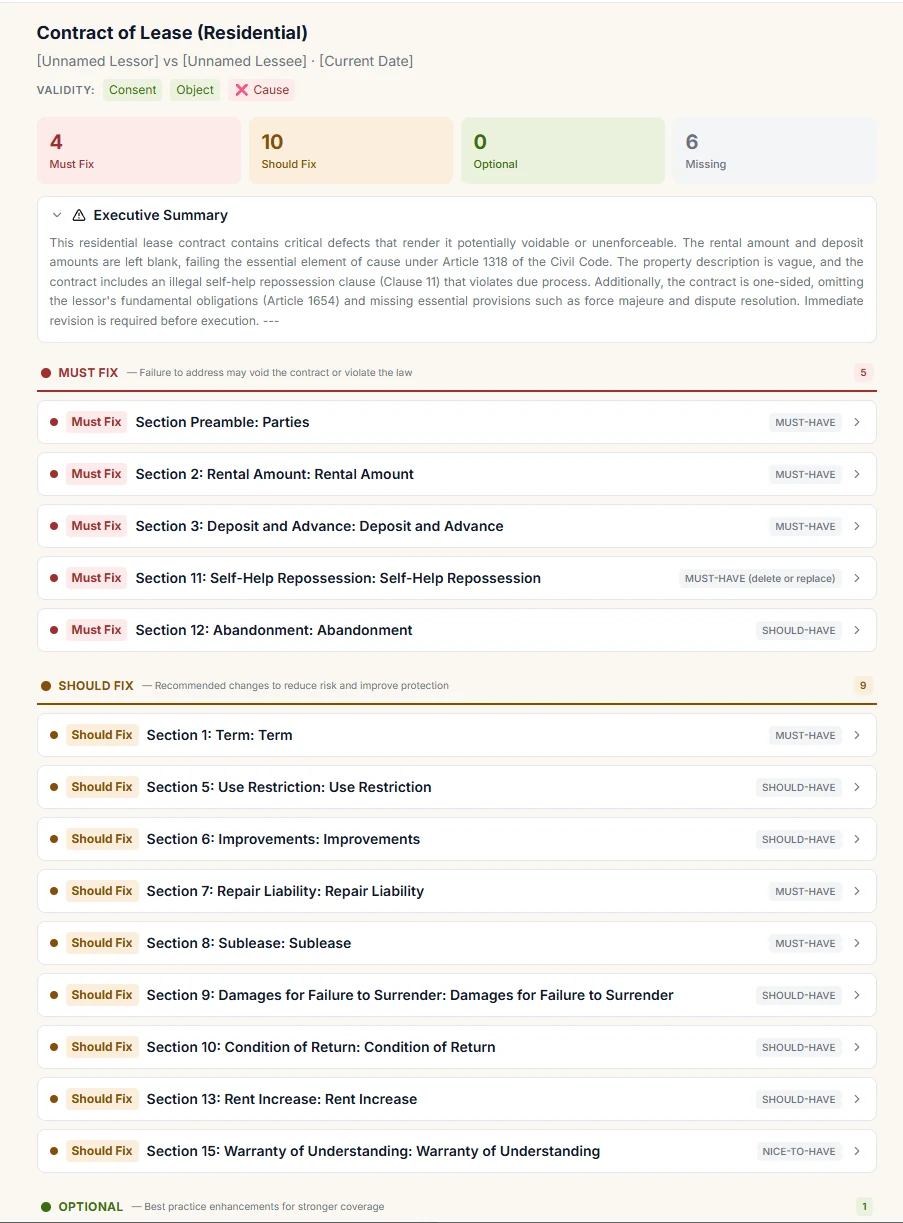
- The analysis is the full one. A scanned contract comes back as the complete structured review — validity check, the Must Fix / Should Fix / Optional / Missing breakdown, the executive summary, and the legal basis behind each finding.
That last point is worth underlining, because it's the one people assume they'll lose: the review isn't a shallower "best effort" because the file was harder to read. It reads the contract and analyses it the same way.
One thing that is not yet on par
The downloadable DOCX redline. Contract Review can still generate the tracked-changes file from a scanned source, but — while Contract Review is in Beta — the redline you get from a scan is not yet as clean as the one you get from a native DOCX or TXT. The analysis on screen is unaffected; it's the exported Word file that's still catching up.
So if the redline is the artefact you actually need — because you're sending marked-up changes to the other side — upload the native file when you have one, and use the scan when you don't. We'd rather tell you that now than have you find it in the export.
The same holds in Visual Digest
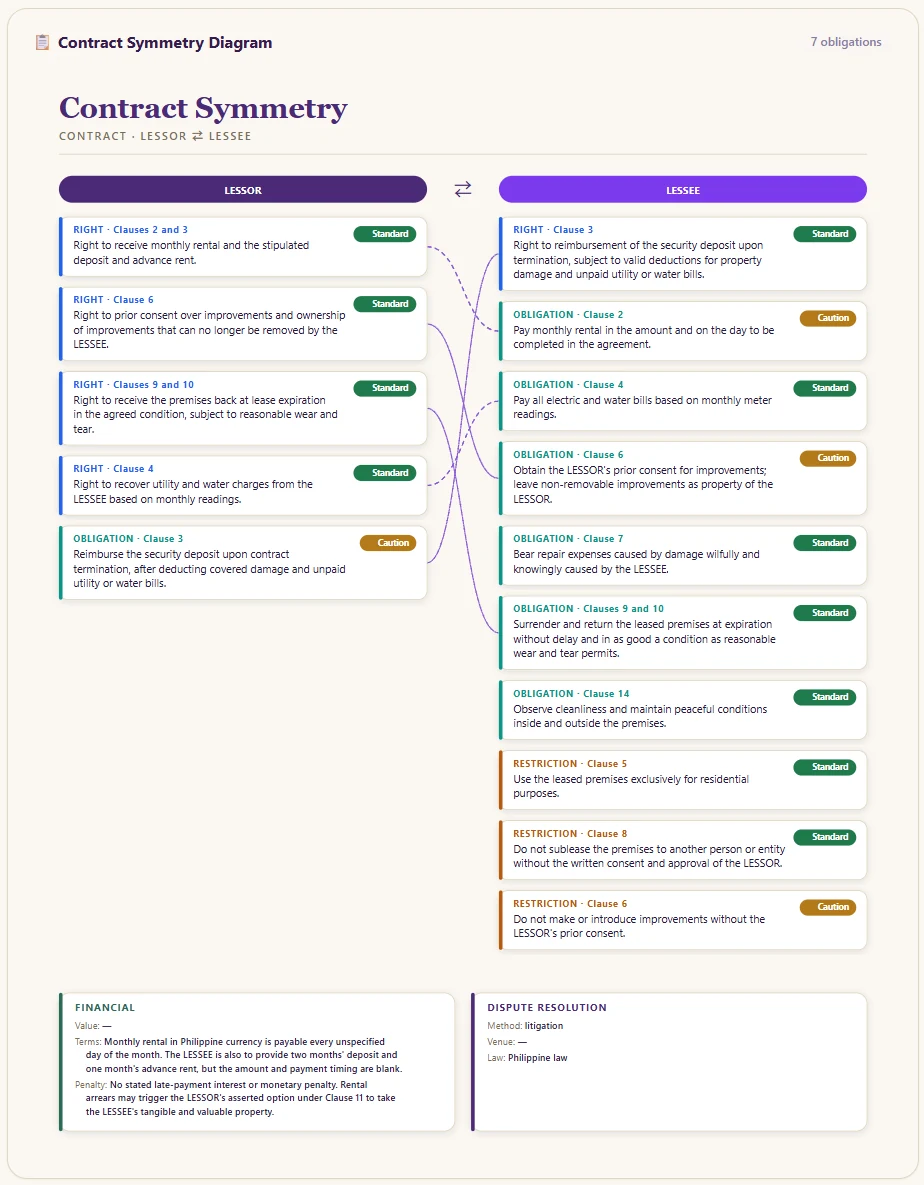
A scanned agreement opened in Visual Digest still becomes the structured views — including the contract-specific ones, like the symmetry between what each side gets and what each side owes.
What it needs from you
One honest caveat, because it's better to hear it from us than to discover it on a deadline: the scan has to be reasonably clear. A clean scan is ideal. A faint fax-quality copy, a very dark page, or a badly skewed one is not going to give you a reliable read — and with a legal document, a partly-guessed read is worse than none.
The practical test is simple: if you can comfortably read it on your own screen, the tools can work with it. If you're squinting, get a better scan.
Still to come
This release covers scanned PDFs. Standalone image files — a photo taken on a phone, a screenshot — aren't accepted yet. If that's the shape your documents usually arrive in, it's on the list; for now, scan to PDF first.
Why this matters more here than elsewhere
In Philippine practice the authoritative copy is very often the paper one. Signed originals get scanned. Older decisions circulate as scans of scans. A legal tool that only accepts clean, text-native files quietly excludes a large share of the documents actually in front of you.
Closing that gap is less glamorous than a new feature — and it probably saves more time than one.
As always, you can check it
Everything the tools return still points back to the source. A review still shows the legal basis behind each finding; a digest still opens onto the document's own text; and both still carry the reminder that AI-assisted output is for reference and should be verified against the official document. Reading a harder file changes what goes in — it doesn't change your ability to check what comes out.
Intellegal is a legal research and review assistant developed by Technese Legaltech Inc. (Makati). It supports legal work and does not provide legal advice; verify all outputs against the primary sources it cites. The sample document shown is a blank template used for demonstration.