A court decision carries more than its own words — it has a story, and it lives inside a web of other cases, statutes, and doctrines. Intellegal, the Philippine legal-research platform by Technese Legaltech Inc., now makes both visible from any decision you open. The Case-Law Analytics upgrade adds Visual Digest and Citation Map above every case's full text, with a sharper search underneath.
What's new in this release
Sharper case-law search
Case-Law Analytics — Intellegal's search for Philippine jurisprudence — now brings back the decisions a question actually calls for far more completely. In our internal evaluation, it found about 50% more of the on-point cases than the previous version — so fewer relevant decisions slip through.
A smarter Law Explorer
Law Explorer — Intellegal's search for Philippine statutes and issuances — now finds the specific legal provision you need even from a broad, plain-language description. A general concept returns the on-point provisions rather than a pile of look-alikes. In our internal evaluation, it surfaced about 50% more of the relevant results than the previous version.
Case research, visualized
And every decision now opens onto two visualization tools built into its full text — a real lift for how quickly you can study a case. Visual Digest distills a decision into its summary and renders it as a timeline, a reasoning (logic) diagram, a legal-concept map, and an entity-relationship graph. Citation Map draws the case's web of authority — the cases it cites, the statutes it applies, and the legal principles it turns on; hover any node to preview that authority at a glance, and click it to open the original. The rest of this article walks through both.
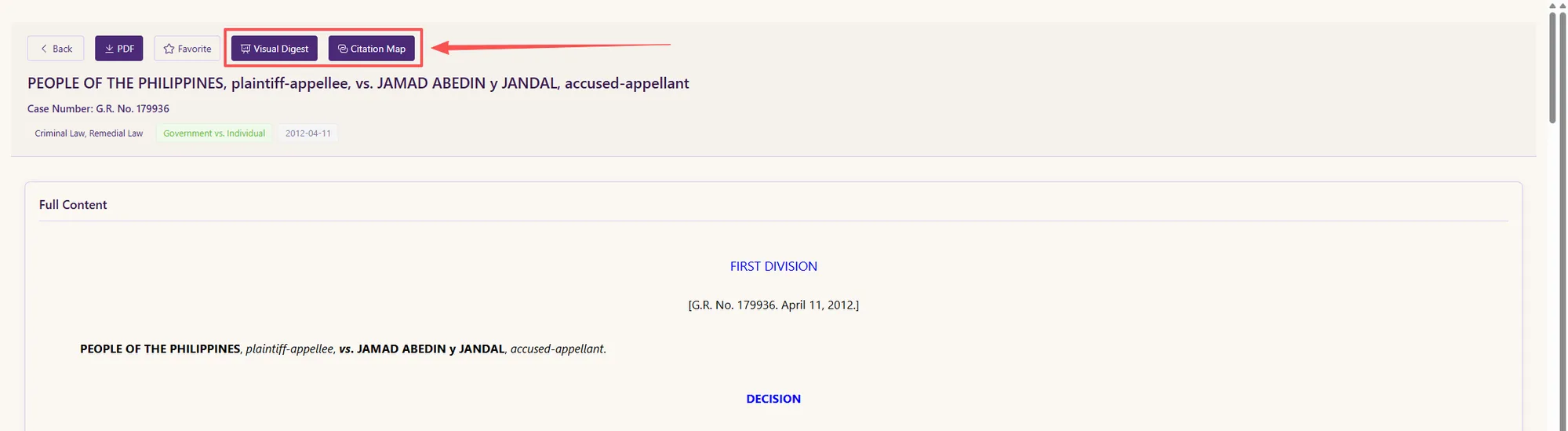
Visual Digest: understand a decision, inside out
Visual Digest turns a full court decision into a set of structured, visual views — so you can grasp a long judgment in minutes without losing the ability to check the original word for word.
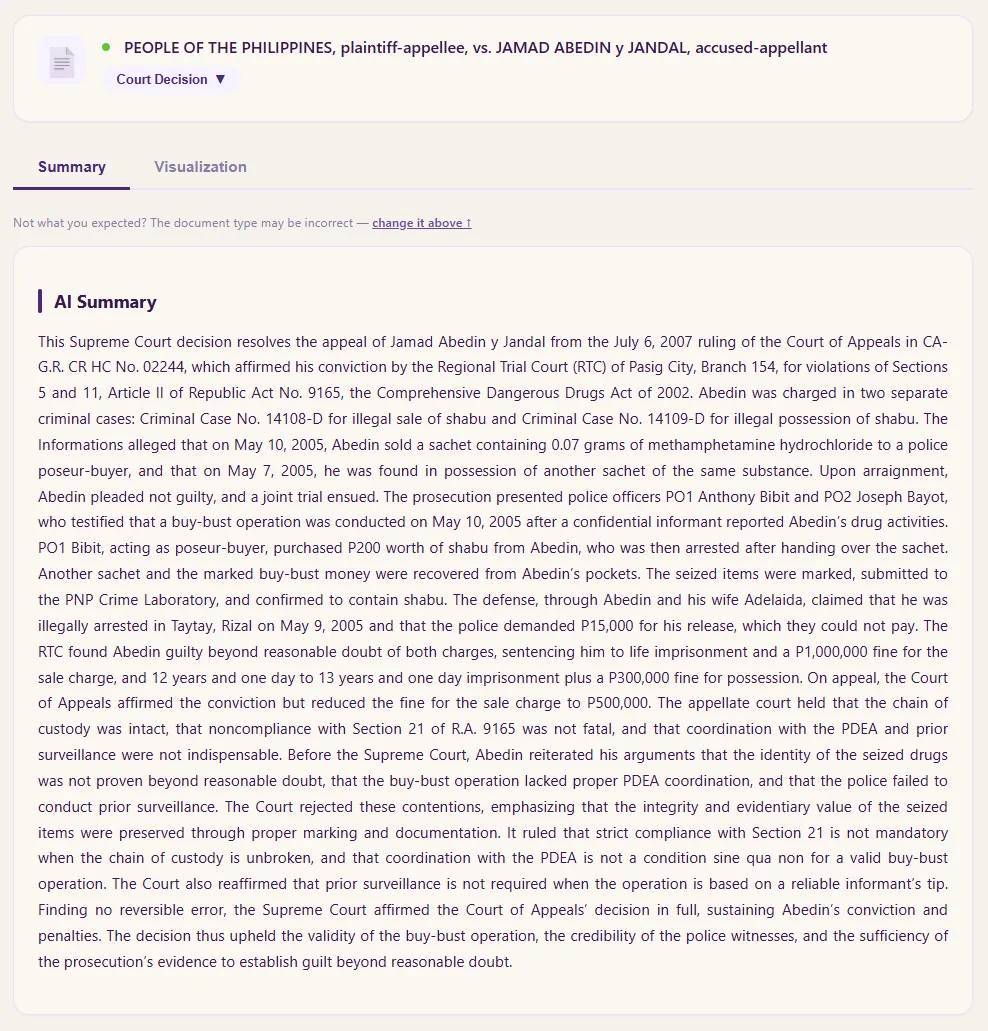
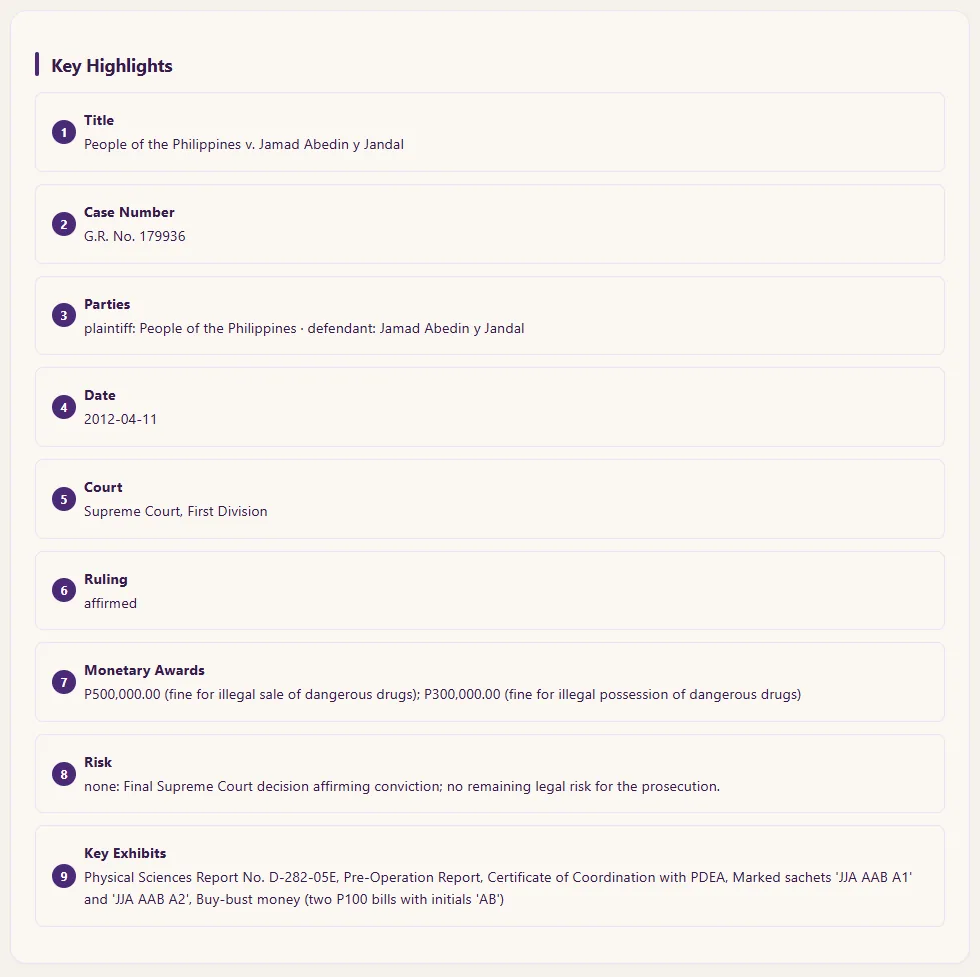
A structured summary and the key facts
The Summary view opens with a plain-language AI Summary of the decision, followed by a Key Highlights card that lifts out the essentials as their own fields — the parties, the case number, the date, the court, the ruling, a risk read, and the key exhibits. It's the whole shape of a case at a glance, before you commit to the full text.
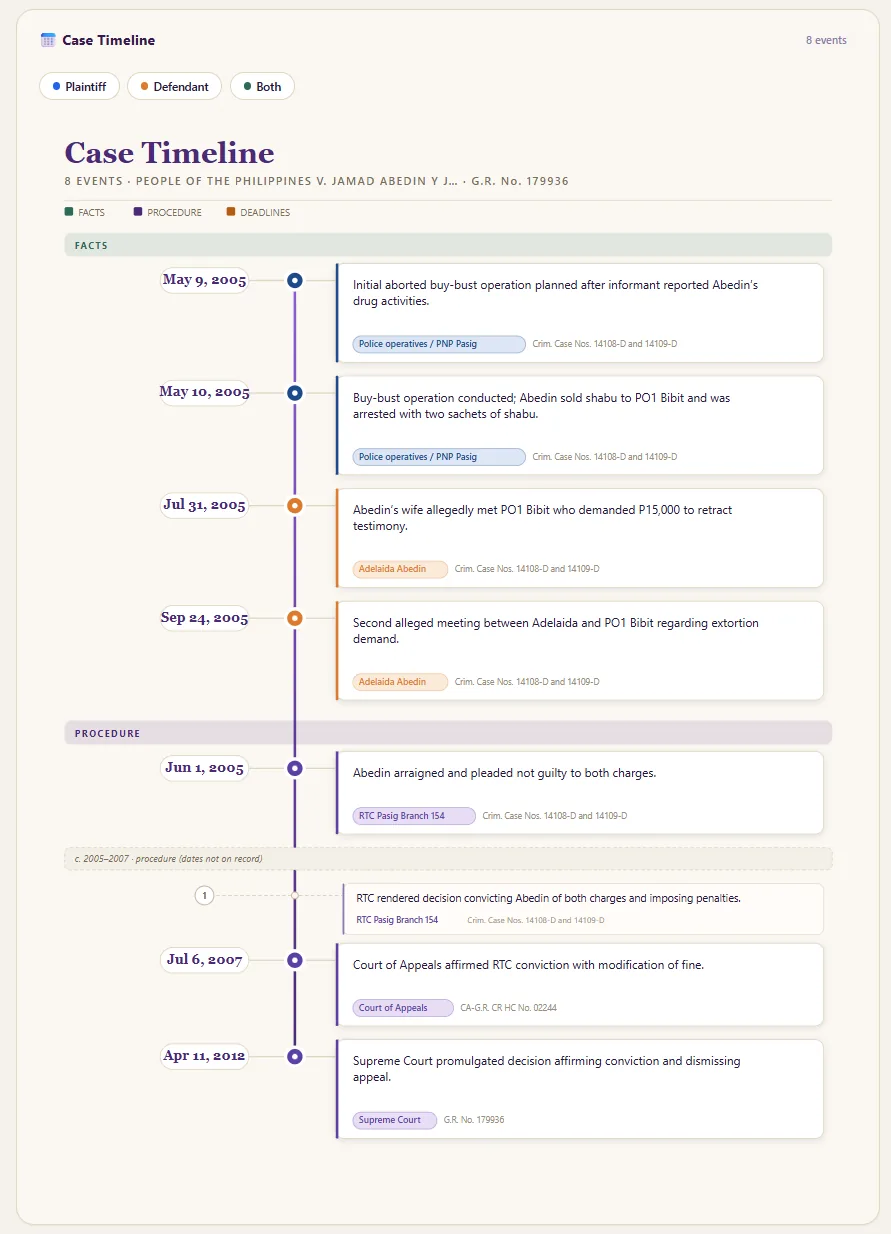
A timeline of what happened
The Case Timeline lays out the events in order — the facts, the procedural steps, and the deadlines — each tagged to the party behind it and filterable by side. Instead of reconstructing the sequence yourself from a dense narrative, you see how the case actually unfolded, date by date.
The court's reasoning, mapped
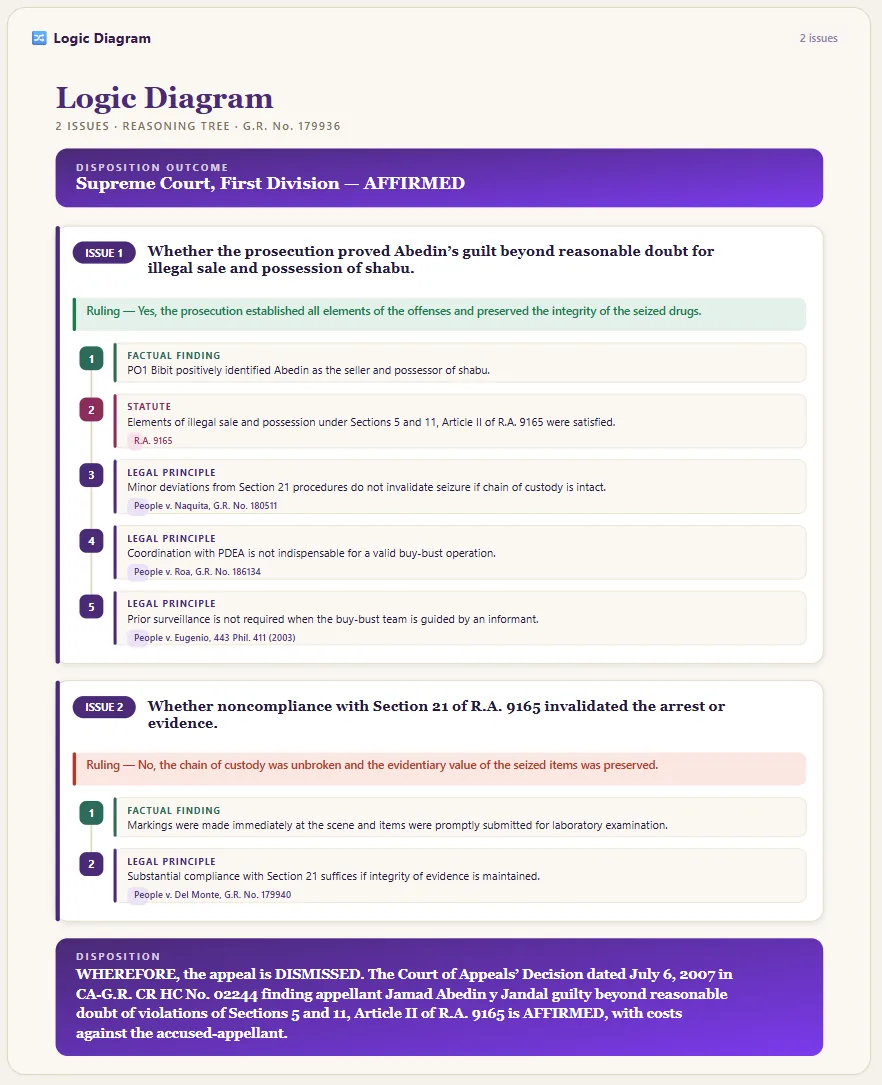
The Logic Diagram maps the ruling as a reasoning tree: the disposition at the top, each issue and how it was decided, and beneath each one, the statutes, legal principles, and factual findings that support it. This is what makes the tool explainable — you don't just see what the court decided, you see the structure of why.
Go deeper: the argument and the parties
Open More Graph for two further views. The Legal Concept Map is an argument graph in which every edge is a labelled legal relationship — a claim supported by evidence, a defense that rebuts it, an issue resolved by a holding — so you can see how the whole argument hangs together. The Entity-Relationship Graph is a who's-who of the case — the parties, the courts, the instruments — showing who relates to whom and how.
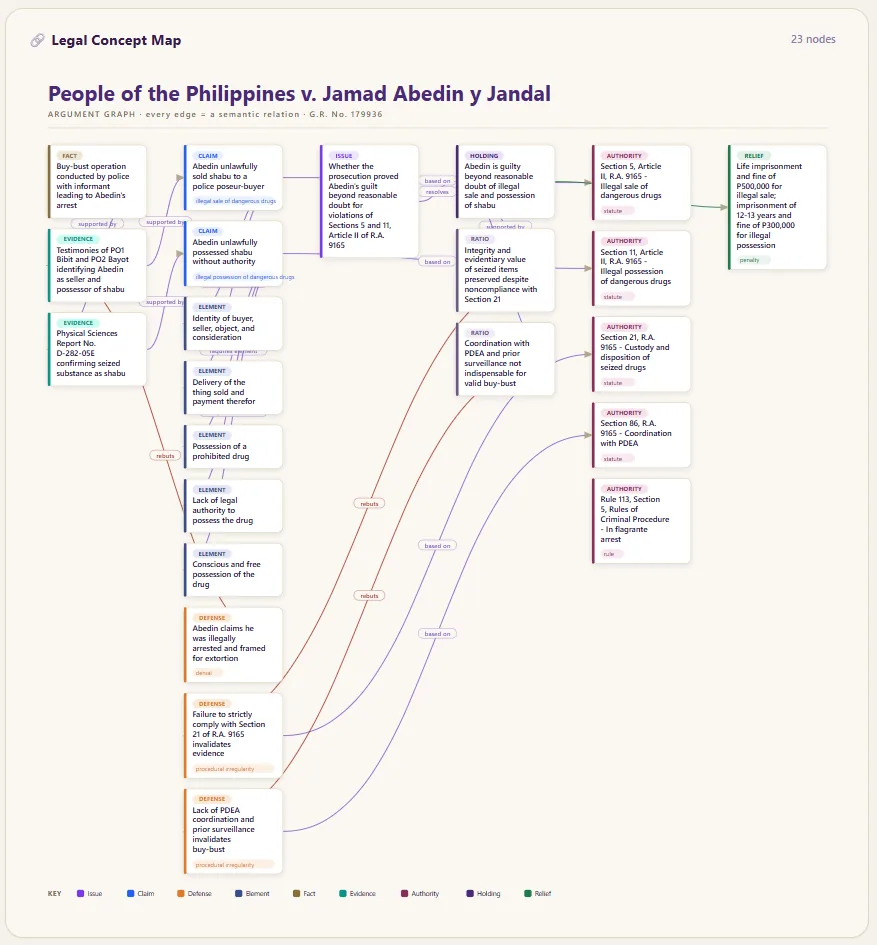
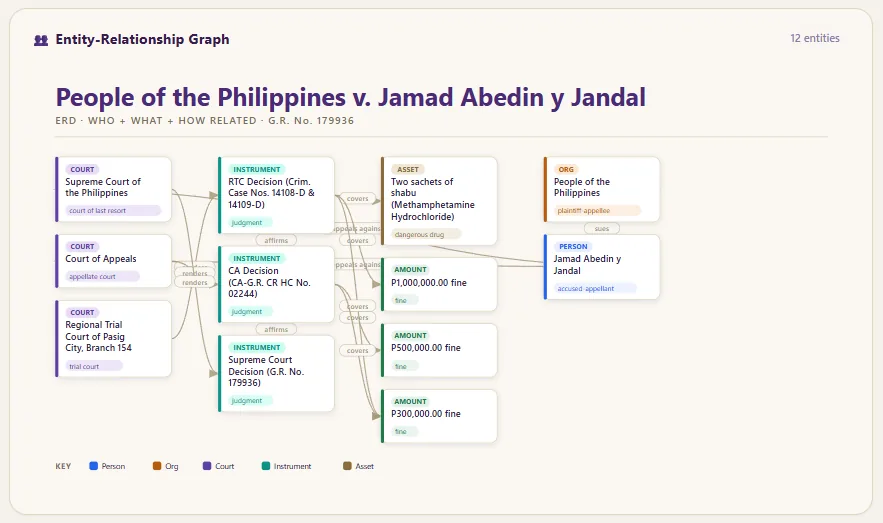
Together, these views let you read a decision from the inside out — Visual Digest is the fastest way to understand a case without giving up the ability to verify it.
Citation Map: a decision's place in the web of jurisprudence
What is a Citation Map?
A citation map is an interactive diagram that places a single court decision at the center and draws out the authorities connected to it — the cases it relates to, the statutes it applies, and the legal doctrines it turns on. Instead of reading a decision in isolation, you see it inside its network.
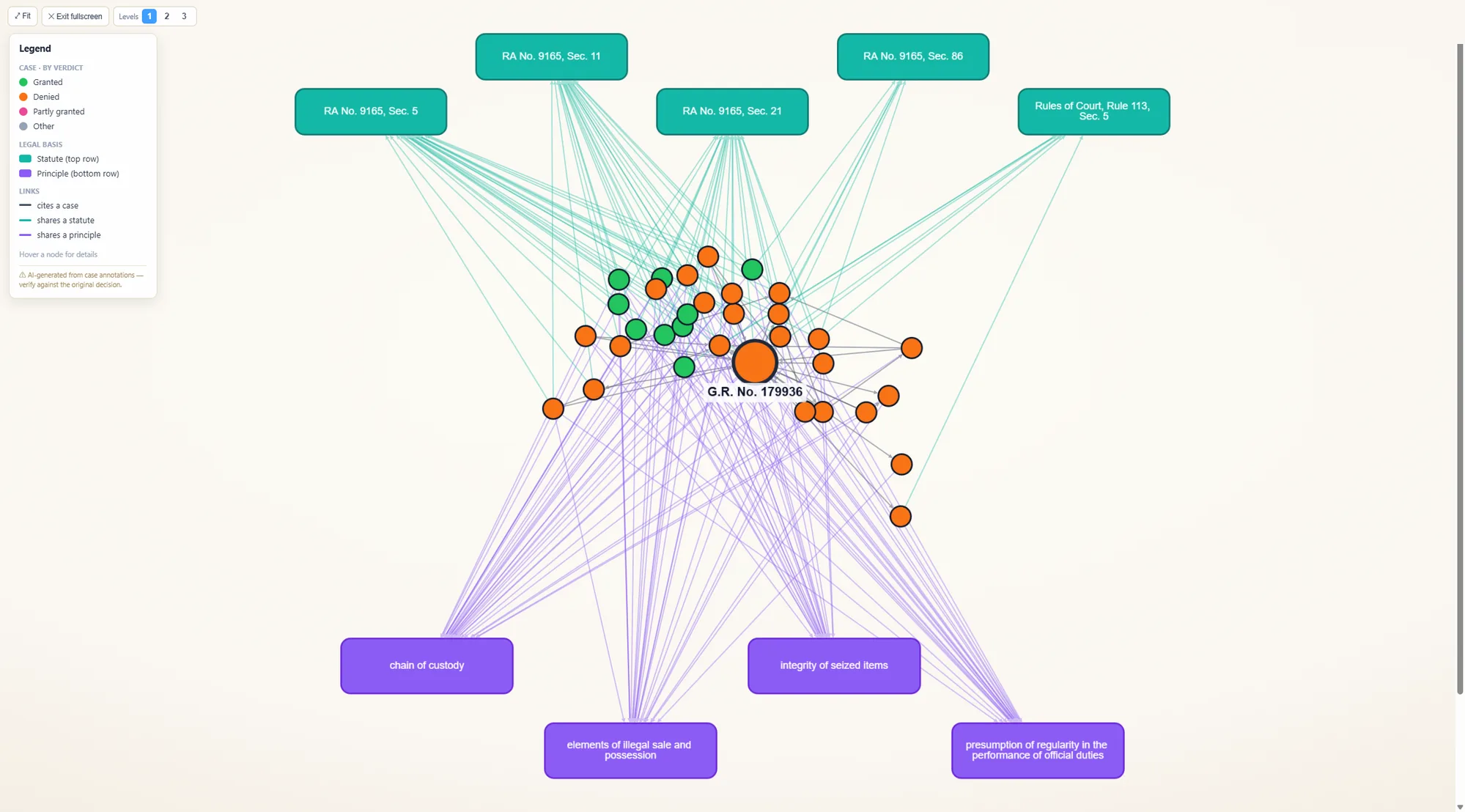
Take a Dangerous Drugs Act appeal like People v. Abedin. Its Citation Map puts the ruling at the center, ranges the statutes it applies (the Comprehensive Dangerous Drugs Act, RA 9165) across the top, the doctrines it turns on — chain of custody, the integrity of seized items, the presumption of regularity — along the bottom, and the web of related drug cases around it, each colour-coded.
Three dimensions in one view: cases, statutes, and doctrines
The map reads in three dimensions at once:
- Cases sit around the center, colour-coded — granted, denied, partly granted, or other — so you can see at a glance how related rulings came out.
- Statutes line the top row — the laws and provisions a decision relies on, when it rests on them.
- Doctrines and principles line the bottom row — the legal concepts a case turns on.
And the links tell you why nodes connect: one case cites another, two rulings share a statute, or they share a principle. The relationship is never left implicit — the map shows its reasoning.
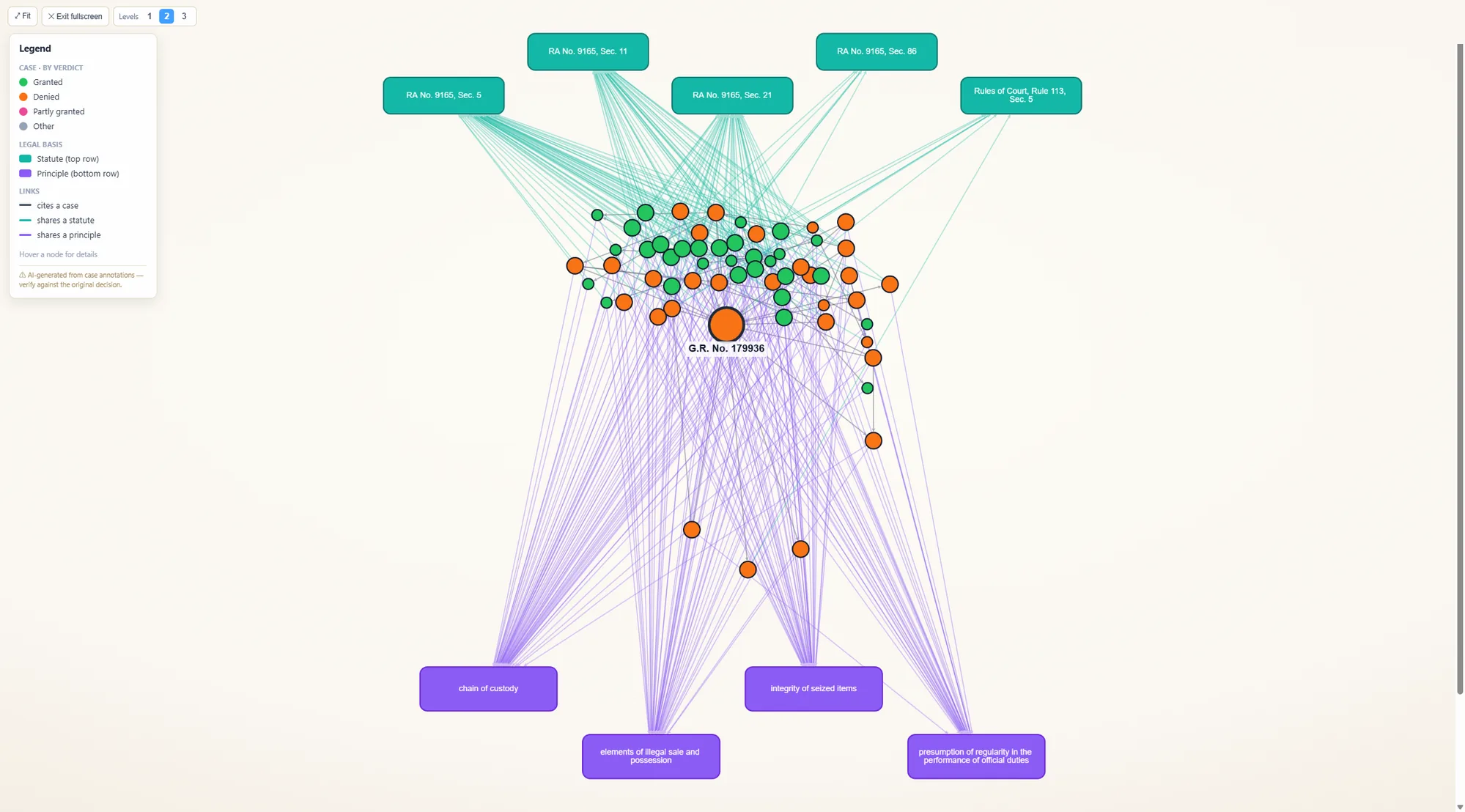
Go as deep as your question needs
The Citation Map opens at a focused first level and expands to a second and third level, widening the network from a case's immediate authorities out to the broader body of related jurisprudence. Start narrow to answer one question, or go deep to map an entire line of cases.
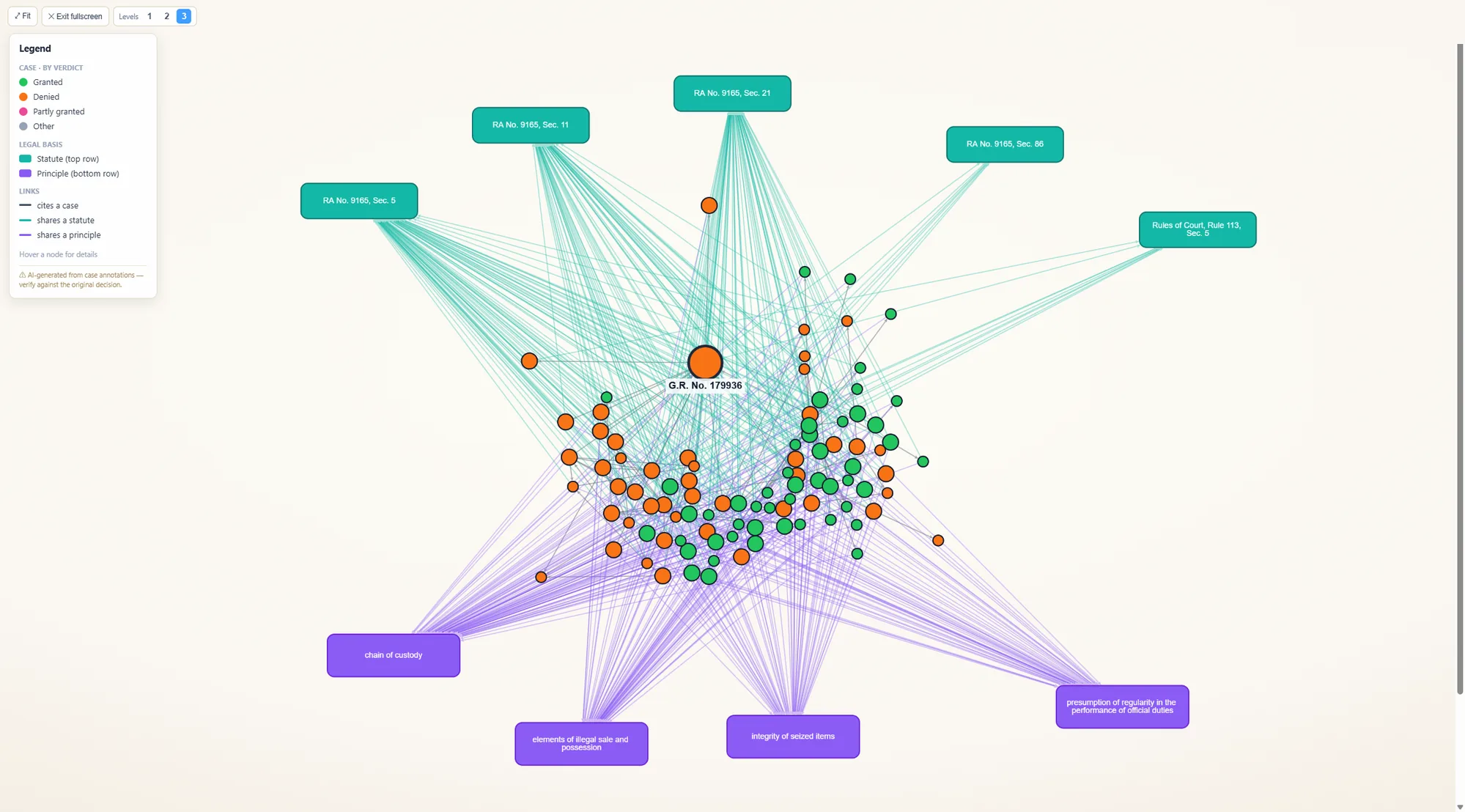
Every node is traceable to its source
Hover any node and it shows the title, the key points, and a link to open the original. Every case and every statute on the map opens to its primary text — the actual decision or the verbatim law. Nothing is a dead end: this is what makes the map traceable and verifiable — you open the source and read it yourself.
Grounded in real sources — and built to be checked
Here's the part that matters most, and it's true of both tools. Everything they surface is drawn from real Philippine legal material — the actual decision in front of you, real cases, real statutes you can open and read. Nothing is an invented citation. That's the whole point: to save you time without ever putting a fabricated authority in front of you.
And we're honest about what's AI-assisted. Both Visual Digest and Citation Map carry a plain notice that their generated content is for reference and should be verified against the official documents — and both give you the link to do exactly that. We don't ask you to trust the output; we build it so you can check it. That's the difference between a black box and a research tool: not a claim that the machine is never wrong, but a design where the source is always one click away.
At a glance
| Tool | What it shows | Reading it |
|---|---|---|
| Case-Law Analytics search | Finds more of the right cases | About 50% more of the on-point cases found in internal evaluation |
| Law Explorer search | Finds the right provision | Finds the specific provision from a plain-language description; about 50% more relevant results in internal evaluation |
| Visual Digest | One decision, broken down | A plain-language summary and key-facts card, a timeline, a reasoning diagram, and argument & entity graphs — the original one click away |
| Citation Map | A decision's web of authority | The ruling at the center, linked to related cases, the statutes it applies, and the doctrines it turns on — expandable across three levels, every node traceable to source |
FAQ
Does Intellegal find the most relevant cases?
Case-Law Analytics is built to surface the Philippine decisions your question actually calls for. In internal evaluation it found about 50% more of the on-point cases than the previous version, so fewer relevant decisions are missed.
Can Law Explorer find a specific legal provision?
Yes. Even from a broad, plain-language description, Law Explorer returns the on-point provisions rather than a pile of look-alikes, so you find the specific provision you need.
What is Visual Digest in Intellegal?
Visual Digest is a tool in Intellegal's Case-Law Analytics that turns a full Philippine court decision into structured views — a plain-language summary, a key-facts card, a timeline of events, a diagram of the court's reasoning, and graphs of the argument and the parties — while keeping the original text one click away.
What is a citation map?
A citation map is an interactive diagram that places a Philippine court decision at the center and shows the cases, statutes, and legal doctrines connected to it, with links that explain how each one relates. Every node opens to its primary source.
Are the cases and laws these tools show real?
Yes. Every case, statute, and doctrine shown is a real authority from Philippine legal material that you can open to its primary text. The AI-generated content is for reference and should be verified against the official documents — and each item links you straight to the source.
How do I open Visual Digest or the Citation Map for a case?
Open any decision in Intellegal's Case-Law Analytics and use the Visual Digest or Citation Map button above the full text.